
Your personalized sound search engine
Finish your beats faster
Example search:
We don't generate sounds. We find them — in your local folders and on the internet.
What it does
Tag a few sounds, not your library
Every other sample tool wants you to organise everything first. AirGear asks for a handful of words on the sounds you actually reach for — "metro boomin", "late 90s", "my go-to". Tag one kick, and the word reaches the kicks that sound like it.
It hears what every sample actually is
AirGear listens to everything on your drive — how bright it is, how noisy, how hard it hits and how long it rings, where its energy sits from sub to top end — and sorts it into kicks, snares, hats, toms, claps and the rest. Your filenames don't have to make sense.
Search the way you'd say it
Type "southside beats" and get the sounds you tagged "metro boomin". The words look nothing alike — AirGear knows they're the same scene.
See where your sounds live
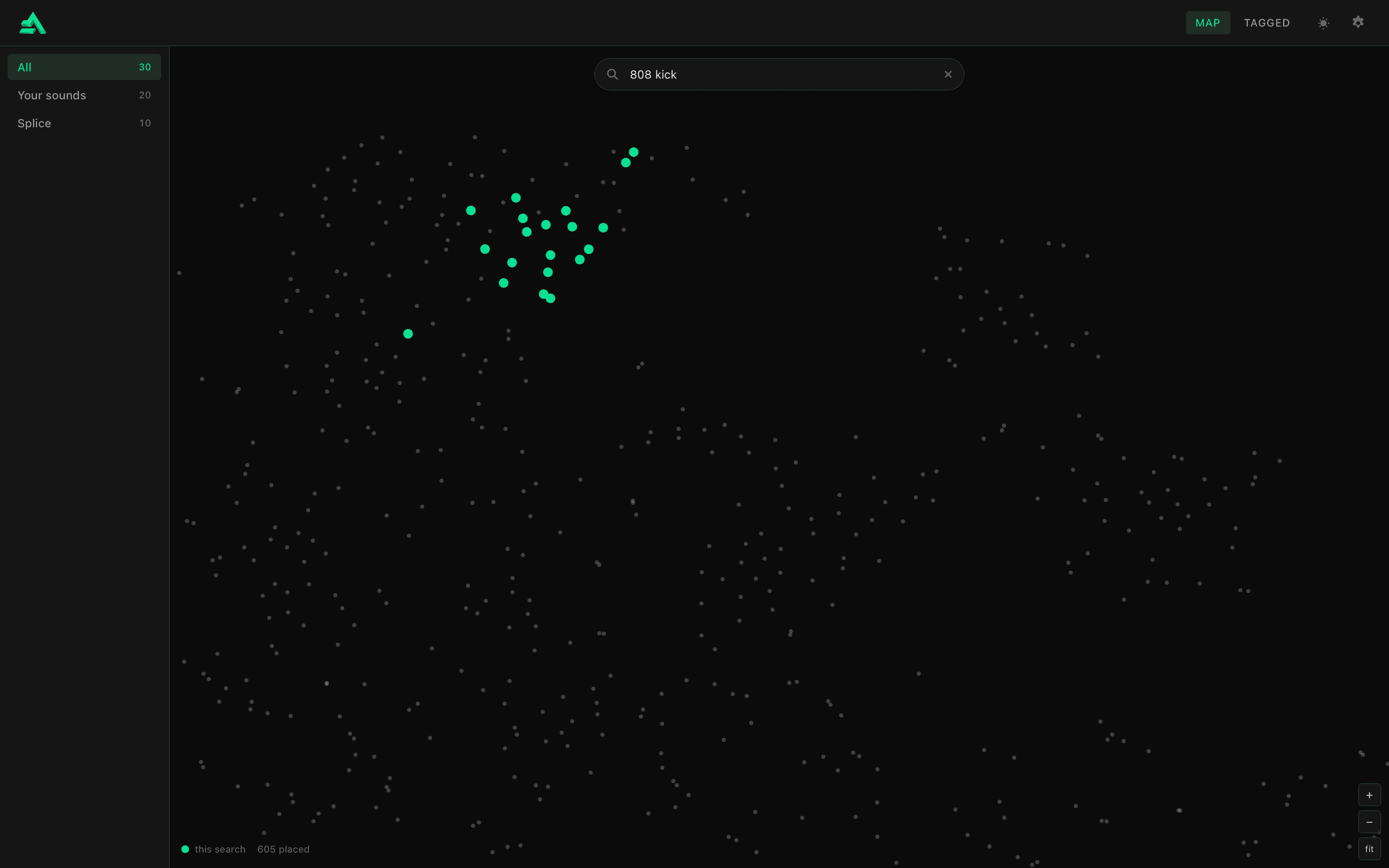
Every sound in your library, placed by how it sounds, so sounds that resemble each other sit together. The layout holds still, so over time you learn where your kicks live. Search results light up in place: one tight pocket, or scattered corners.
Tag one kick. It reaches its neighbours.
- Your library
Every sound, placed by how it sounds. Sounds that resemble each other sit together.
- This search
Where the answers sit in your library: one tight pocket, or scattered corners.
How It Works
Point it at your samples
Choose your sample folder. AirGear listens to everything in it and sorts it by kind.
Tag what you reach for
Put your own words on a handful of sounds you love — artists, eras, gear, "my go-to".
Search in your words
Type what you're hearing in your head and watch the answers light up on the map.
Requirements
Platform
macOS only, Windows coming soon.
Setup
Point AirGear at your sample folder once. That's it.